
Movies & series
The LayerSeven TV on-demand library
Alongside live channels, LayerSeven TV includes a library of films and series you browse whenever you like. Here’s how it’s organized and how to get the best picture from it.

01 A look inside
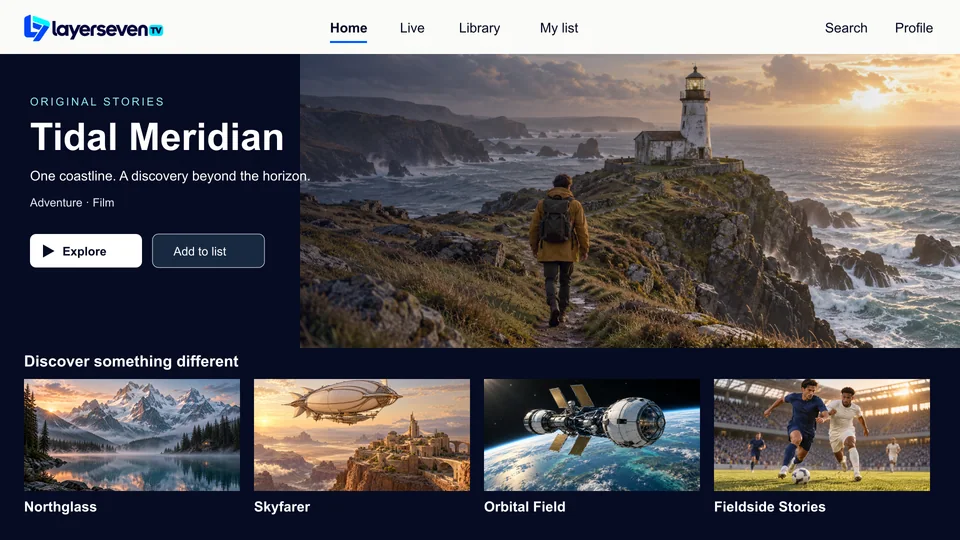
Browse like a streaming app
Films and series sit in their own section of the player, sorted into categories, with artwork and descriptions.
-

-

-

02 Tips
Finding something to watch tonight
-
Start with categories
Genre and recently-added categories are quicker than scrolling everything with a remote.
-
Search by a few letters
Type three or four letters of the title. Your phone’s keyboard is faster where the app supports it.
-
Save to your list
Most players let you favorite titles, so the weekend’s films are ready when you sit down.
Picture quality
What decides how good it looks
- The source. Each title is available at the quality it was provided in.
- Your connection. 10 Mbps for HD, 25 Mbps for 4K content.
- Your device. A 4K-capable stick or TV is needed to show 4K.
- Your TV settings. Turn off motion smoothing for a natural film look.
03 Library questions
Movies & series FAQ
How often is the library updated?
Titles are added and removed over time. If there’s something specific you want, ask us and we’ll check whether it’s currently available.
Can I pause and resume a film?
Yes, on-demand titles can be paused, rewound and skipped. Most player apps also remember where you stopped.
Are subtitles available?
Where a title includes subtitle tracks, you can switch them on in the player’s audio and subtitle menu. Availability varies by title.
Movie night
Live TV and a library, one subscription
Every plan includes the full library at no extra cost. Plans start at $17.
Prefer email? [email protected]