
Skip to content

Questions before you buy? A person answers on WhatsApp.

Installation guide

How to install LayerSeven TV, step by step

The same five steps work on almost every device. Read them once, then jump to the notes for your device. Most people finish in one sitting.

01 Every device

The five installation steps

  1. Check your connection

    Run a speed test on the device you’ll watch on. Aim for 10 Mbps or more for HD, 25 Mbps for 4K. If you can, connect the TV or box with a cable.

  2. Update the device

    Install any waiting system updates and free up at least 1 GB of storage. It prevents most odd app behavior later.

  3. Install the player app

    Install the app we recommended in your welcome message from your device’s app store. If it isn’t in the store for your device, we’ll guide you through the alternative.

    Only install apps from the official store or the exact source we send you.

  4. Add your LayerSeven TV details

    Enter your login details (server, username, password) or your playlist link exactly as sent. The activation page explains both options.

  5. Test and save favorites

    Play a live channel and a film. Then add your most-watched channels to favorites so tomorrow’s evening starts in two clicks.

Before you start

Have these ready

  • Your welcome message with login details
  • The TV remote — and your phone for easier typing
  • Your Wi-Fi password, in case the device asks
  • Your app store account (Google, Amazon, Apple, Samsung or LG)

02 Device notes

What’s different on your device

Samsung, LG, Android TV and Google TV sets

Easy · Newer TVs with an up-to-date app store

Open your TV’s app store (Samsung Apps, LG Content Store or Google Play on Android/Google TV), search for the recommended player and install it. Typing with the remote is slow — some apps let you enter details from a web page on your phone.

More about Smart TV
Amazon Fire TV Stick and Fire TV Cube

Easy · Older TVs, bedrooms, travel

Search the Appstore from the Fire TV home screen. If the recommended app isn’t listed, install the free Downloader app and allow it under Settings → My Fire TV → Developer options. We’ll send the exact link to enter.

More about Fire TV Stick

Android TV boxes, Google TV streamers, phones and tablets

Easy · Flexible setups and wired connections

Install from Google Play when available. On boxes without Play, we’ll walk you through a direct install. Plug in Ethernet if there’s a port — it’s the biggest single improvement.

More about Android

Apple TV, iPhone and iPad

Easy · Households already using Apple devices

Install the player from the App Store on Apple TV, iPhone or iPad. Some players are free to try and ask for a one-off purchase to unlock features — we’ll tell you which.

More about Apple TV & iPhone

Windows PCs and Macs

Moderate · Second screens and travel

Install a desktop player app for Windows or macOS. For the best picture on a TV, a streaming stick is more reliable than mirroring the laptop.

More about Computer
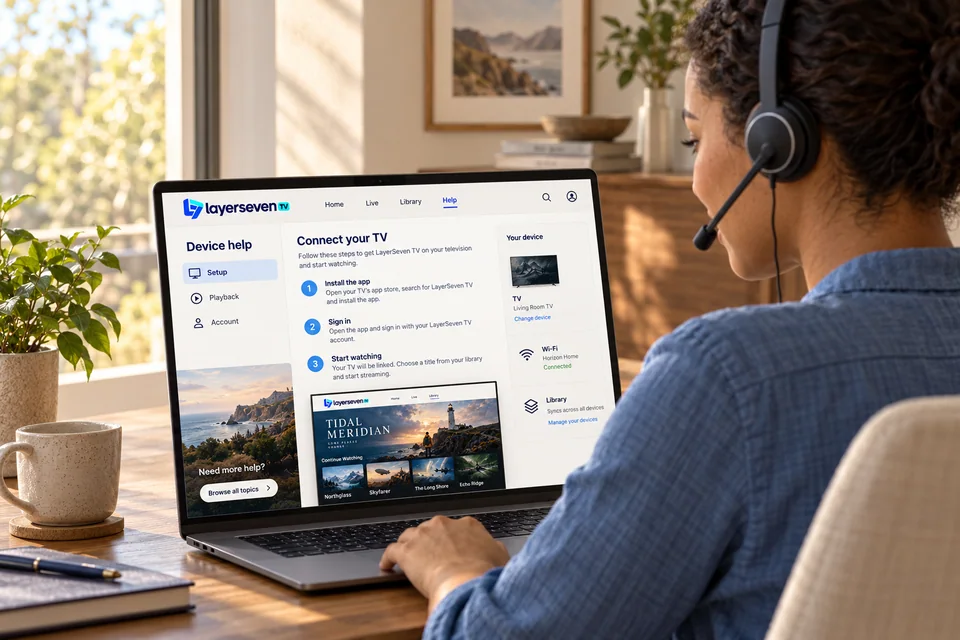
A support specialist wearing a headset reviews a device-help screen on a laptop

03 Stuck?

Send us a photo of the screen

Every device and app version looks a little different. Instead of guessing, take a photo of the screen you’re on and send it on WhatsApp. We’ll reply with the exact option to choose.

04 Installation questions

Before you pick up the remote

Didn’t see your question?

Ask it in your own words. A person answers — not a bot.

Ask on WhatsApp
How long does installation take?

Most people finish in one sitting. The slowest part is usually typing details with a TV remote — using your phone where the app allows it speeds things up.

Do I need technical knowledge?

No. If you can install an app on your phone, you can do this. We guide you on WhatsApp if a screen looks unfamiliar.

Can I install on several devices?

Yes, use the same details on each. The number of screens playing at the same time depends on your plan.

Is it safe to install apps outside the app store?

Only install from your device’s official store or the exact source we send you, and never from random links. When an official store version exists, we always recommend it.

Chat on WhatsApp