The line-up
LayerSeven TV channels: national, international and sport
LayerSeven TV brings live channels from your own country and from abroad, plus sport and an on-demand library, into one player app. This page explains how the line-up is organized — and how to check a specific channel before you pay.
01 How it’s organized
Four ways into the line-up
Most player apps group LayerSeven TV into categories, so you scroll a short list instead of thousands of entries.
-
National channels
The everyday channels of your home country: news bulletins, talk shows, entertainment and the evening programs most people watch live.
-
International channels
Channels from other countries and in other languages, grouped by country or region — useful for bilingual families and anyone living abroad.
English-language TV abroad -
Sport
Live sport channels and event feeds. Big fixtures draw big audiences, so test your setup before match day.
Sport on LayerSeven TV -
Movies & series
An on-demand library you browse at your own pace, separate from the live channels.
Inside the library
02 Day-to-day use
Finding a channel in seconds
-
Start from a category
Open the country or sport category first. It is faster than scrolling the full list, especially on a TV remote.
-
Build a favorites list
Most players let you long-press a channel to add it to favorites. Ten favorites cover most households’ evenings.
-
Use search for one-off programs
Type three or four letters of the channel name. On a TV, the on-screen keyboard is slow — favorites are quicker for daily use.
-
Refresh the list after an update
If a channel moved or was renamed, reload the playlist in your player settings. It takes a minute and fixes most “missing channel” reports.
Before you pay
Ask us to check the channels that matter to you
Send us the names of up to five channels or events. We check them against the current line-up and reply in writing — before you choose a plan.
03 Honest small print
Why line-ups change — on every TV service
Channels are renamed, merged, moved between packages or change their broadcast format. Seasonal sport moves around even more. That is true for cable and satellite as well as internet TV.
That is why we don’t publish a giant channel count and promise it forever. Instead, we check the channels you care about when you ask, and we tell you if something you rely on is no longer available.
04 Beyond live TV
Sport and the on-demand library
-

-

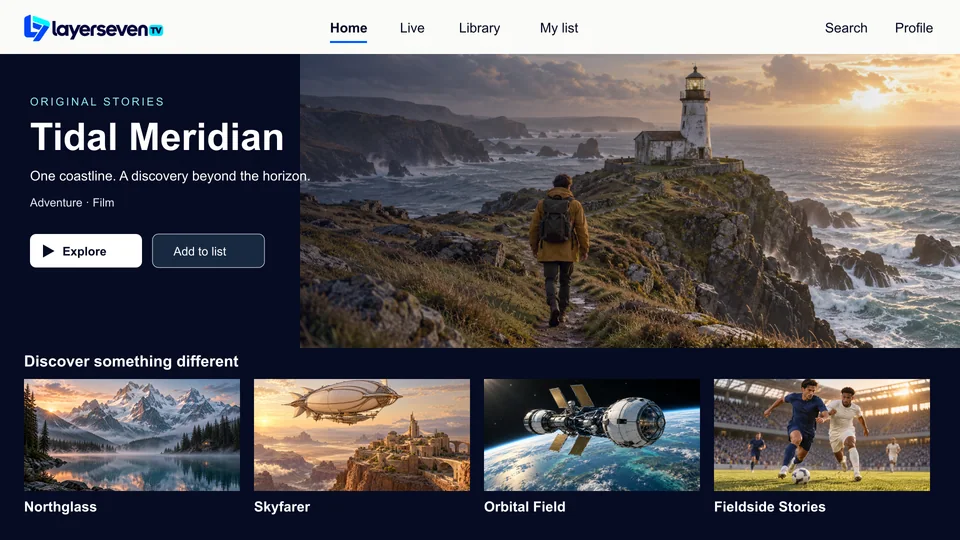
Photos are illustrative; teams, players and titles shown are fictional.
05 Channel questions
About the line-up
Can I see the full channel list before subscribing?
Line-ups change, so a static list would go out of date quickly. Send us the channels you care about and we’ll confirm each one in writing before you pay.
Are channels from my home country included if I live abroad?
International channels are grouped by country. Tell us which country you are interested in and we’ll check what is currently available. Our English-language TV page covers watching abroad in more detail.
Do all channels work on every device?
The line-up is the same on every supported device. Picture quality depends on the channel source, your device and your connection.
Is there a TV guide?
Most player apps can show a program guide for channels that provide one. If your guide is empty, refresh it in the player’s settings, or ask us which app shows it best on your device.
One message away
Name your channels. We’ll check them.
It takes one WhatsApp message and saves guessing. If something you need isn’t available, we’ll say so before you pay.
Prefer email? [email protected]