
Compatible devices
Will LayerSeven TV work on my TV?
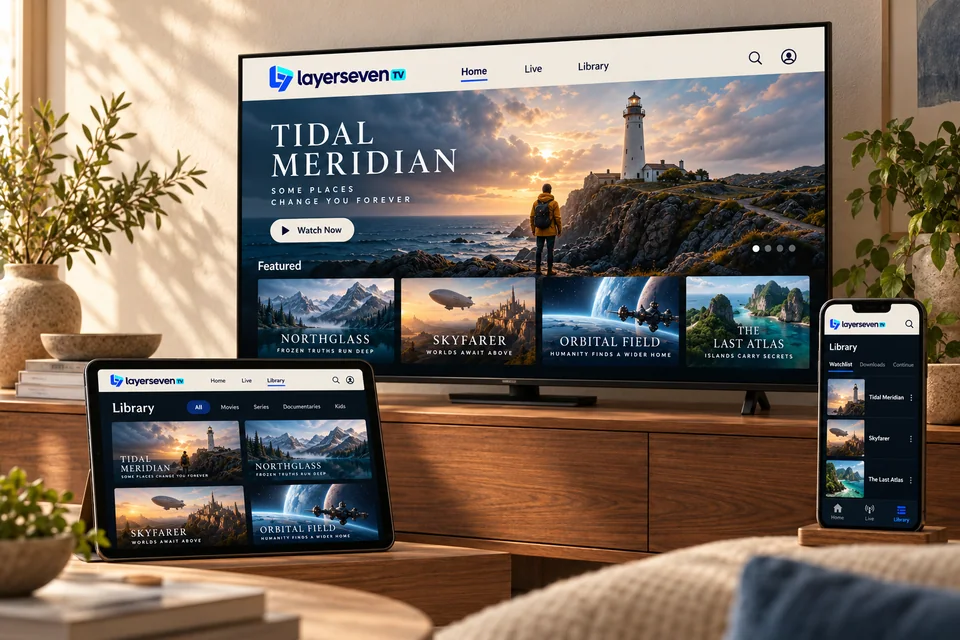
Almost certainly. LayerSeven TV runs in a player app, so it works on Smart TVs, streaming sticks, Android boxes, Apple devices, phones, tablets and computers. Here is what each one needs.
- No set-top box required
- One login for every device
01 At a glance
Every supported device, side by side
| Device | What you need | Setup | Best for | Guide |
|---|---|---|---|---|
| Samsung, LG, Android TV and Google TV sets | The player app we recommend for your TV’s system | Easy | Newer TVs with an up-to-date app store | Smart TV guide |
| Amazon Fire TV Stick and Fire TV Cube | A free HDMI port and Wi-Fi or an Ethernet adapter | Easy | Older TVs, bedrooms, travel | Fire TV Stick guide |
| Android TV boxes, Google TV streamers, phones and tablets | A player app from Google Play, or a direct install we guide you through | Easy | Flexible setups and wired connections | Android guide |
| Apple TV, iPhone and iPad | A player app from the App Store — we name the one we recommend | Easy | Households already using Apple devices | Apple TV & iPhone guide |
| Windows PCs and Macs | A desktop player app (we suggest one that suits your system) | Moderate | Second screens and travel | Computer guide |
02 Device guides
Pick your device for detailed setup
-
Samsung, LG, Android TV and Google TV sets
Most Smart TVs with their own app store can run a player app directly, so you don’t need an extra box.
Smart TV guide -
Amazon Fire TV Stick and Fire TV Cube
One of the simplest ways to add LayerSeven TV to any television with a free HDMI port.
Fire TV Stick guide -
Android TV boxes, Google TV streamers, phones and tablets
Android devices run the widest choice of player apps, from the living-room box to the phone in your pocket.
Android guide -
Apple TV, iPhone and iPad
Install a player from the App Store on Apple TV, iPhone or iPad and sign in with your details.
Apple TV & iPhone guide
03 Not sure?
Find your model number in 30 seconds
Send us the brand and model and we’ll confirm compatibility — and the best app — before you pay.
-
Smart TVs
Settings → Support or About → Model. It is also on a sticker on the back of the TV.
-
Fire TV Stick
Settings → My Fire TV → About. The device name (e.g. Fire TV Stick 4K) is enough.
-
Phones and tablets
Settings → About phone (Android) or Settings → General → About (iPhone and iPad).
04 Device questions
Compatibility, answered
Can I use LayerSeven TV on more than one device?
You can install it on as many of your devices as you like. How many can play at the same time depends on your plan — ask us before ordering if you need several screens at once.
Do I need a new TV?
No. Any TV with an HDMI port works with a streaming stick or Android box. Newer Smart TVs can often run the app directly.
Does it work on Roku or game consoles?
Support on those platforms depends on which player apps they currently allow. Send us your model and we’ll tell you honestly whether we recommend it or suggest a stick instead.
Which device gives the best picture?
A recent streaming stick or Android TV box connected by cable usually gives the steadiest picture. The TV’s screen quality matters too, but the connection matters most.
One quick check
Send us your model. We’ll confirm it works.
Brand and model number are enough. We’ll reply with a clear yes, the app to use, or the cheapest way to make it work.
Prefer email? [email protected]